

Note-taking is an important and often underestimated topic! Indeed, we don't always realize the potential of note-taking. 🧐
Discover the complete guide to note-taking software & apps in 2025 + 1 INCREDIBLE BONUS + CRAZY AI NOTE-TAKING TOOLS. Find the best tool, the one with the most potential, with this guide from Econotes Econotes later! 😁💡

Why Opt for Note-Taking Software?
The digital revolution has transformed the way we work, study, and organize our lives. They won't replace traditional pen and paper because there's nothing better for retaining information, but rather for complementing each other.
Indeed, note-taking software is a true revolution for anyone looking to maximize efficiency and productivity.
The most practical electronic devices for note-taking:
- Ipads & tablets.
- Computers.

What are the key features to look for in note-taking software?
Our selection criteria for good note-taking software:
1. Ease of Use: Good note-taking software should be intuitive and user-friendly. If the user interface is complex, it could hinder your productivity. Opt for software that offers a gentle learning curve and easy navigation. 😉
2. Essential Features: Check the basic features of the software. Device synchronization, the ability to integrate media (images, audio files), and the capacity to create structured notes are essential elements to consider.📱
3. Customization and Flexibility: Look for software that offers customization options, whether for note layout, colors, or tags. The more flexible the software, the better it adapts to your style.
4. Powerful Search Options: Software with advanced search features allows you to quickly find the information you need.
5. Integration with Other Tools: If you use other tools daily (calendar, productivity apps, etc.), check if the note-taking software can integrate seamlessly with them.
The Must-Haves of 2025: The Best Note-Taking Software 👀
1. Notion - The Essential & Versatile Note-Taking Tool 🐙
Notion stands out with its intuitive interface and advanced features. Designed to meet all your note-taking needs, it offers a seamless user experience.
Key Advantages of the Software:
- Maximum Productivity: Notion offers innovative features that allow you to take notes quickly and efficiently.
- Intuitive Organization: Information management is simplified thanks to advanced categorization and search tools.
- Universal Synchronization: Access your notes from any device with instant synchronization.
- Ergonomics & Design: A simple & clean design and efficient ergonomics that can present content in various forms.
And the price? A rather comprehensive free version but the possibility to extend usage with a paid version between 4 & 8 euros.

2. Google Keep - Simplicity for Organization
Google Keep stands out for its simplicity and seamless integration into the Google ecosystem. It is an ideal solution for those looking for quick and intuitive note-taking.
Key Advantages:
- Google Integration: Access your notes directly from your Google account, seamless synchronization.
- Visual Note-Taking: Capture ideas with colorful notes, images, and lists.
- Ease of Use: Intuitive interface, perfect for quick and simple note-taking.
3. Evernote - The Alliance of Power and Simplicity 🦸♂️
Evernote is renowned for its versatility and organizational power. It serves not only as a notepad but also as a digital vault for your important ideas and information.
Key Advantages:
- Multi-format Capture: Take notes as text, images, audio files, and even web pages.
- Smart Organization: Notebooks, tags, and advanced search for impeccable organization.
- Instant Synchronization: Access your notes anytime, even offline, with fluid synchronization.
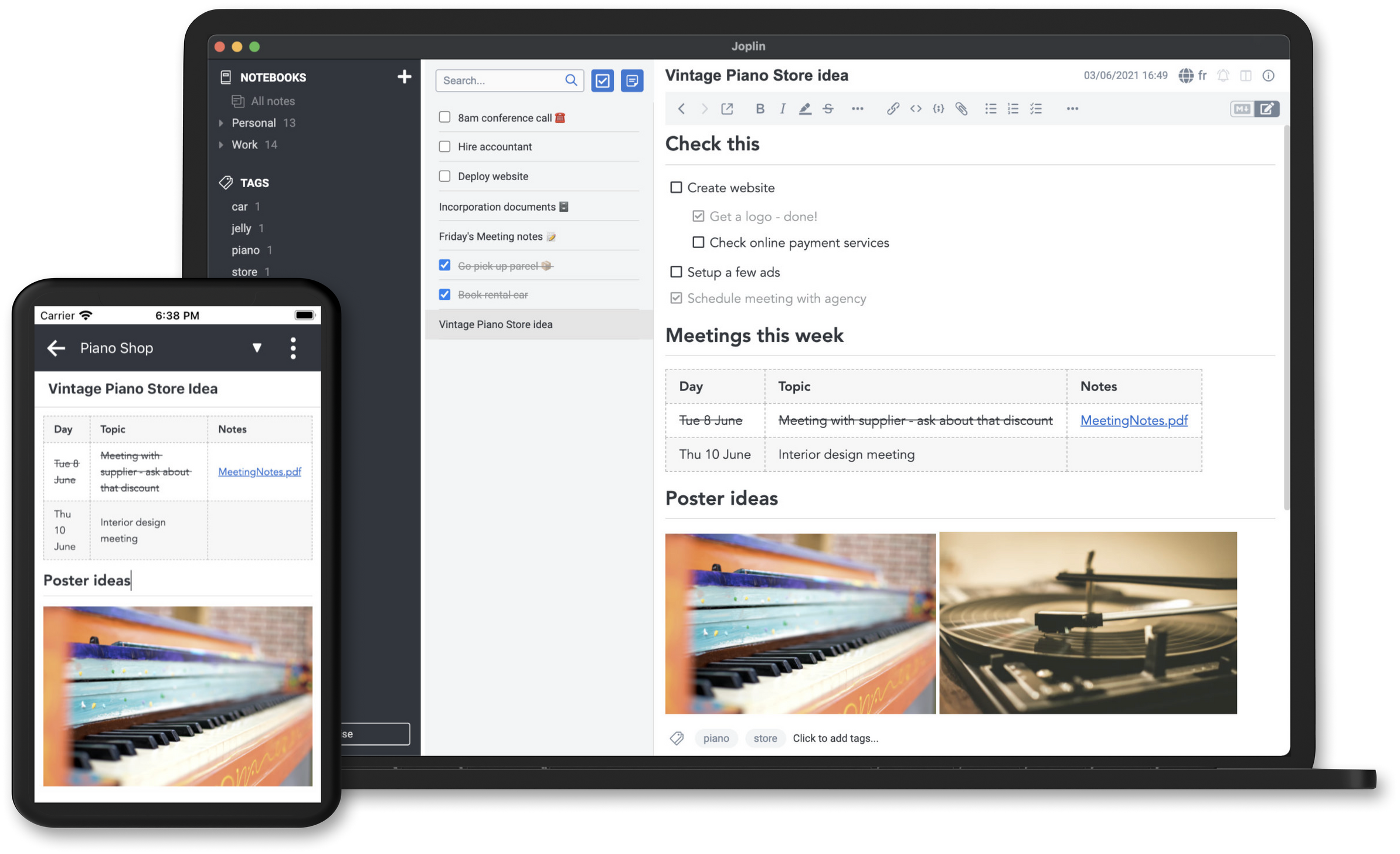
4. Joplin - Open Source and Synchronized Note-Taking
An open-source note-taking software? Yes, ladies and gentlemen, it's JOPLIN. It offers seamless synchronization between your devices on a platter.🍴
Discover the flexibility and customization it brings to your note-taking experience.
Key Advantages:
- Open Source: Benefit from total transparency with open-source software, allowing advanced modifications and customizations.
- Secure Synchronization: Your notes are securely synchronized via popular cloud services.
- Markdown Note-Taking: Embrace the power of Markdown syntax for quick and flexible formatting.
- Encryption: All your notes are well protected.
What is Markdown?
Markdown is a lightweight markup language that allows text to be formatted in a simple and readable way.
5. Bear - Apple-Only Software 🍎
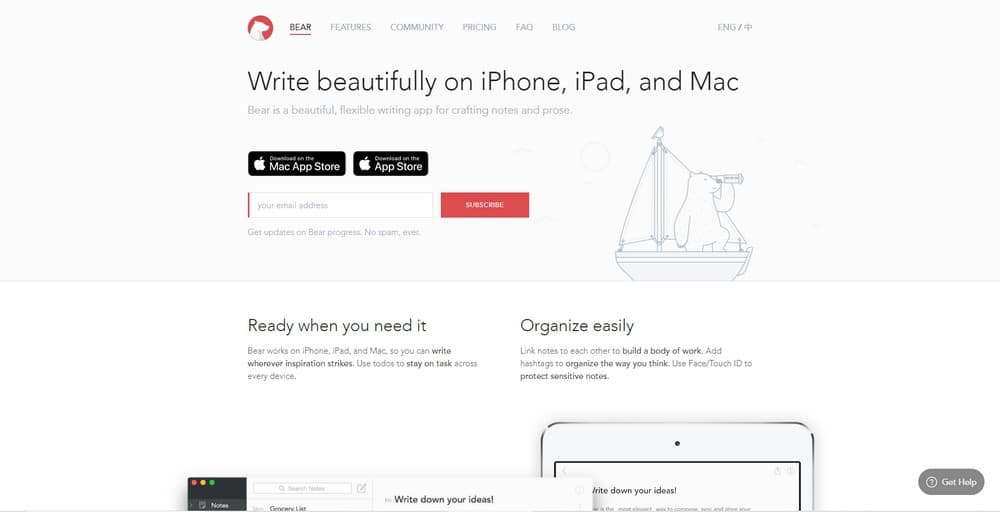
Bear positions itself as an elegant solution offering a perfect balance between simplicity and power. Explore its clean interface and intuitive features for an unparalleled note-taking experience, although it is paid.
Key Advantages:
- Markdown Editor: Embrace the flexibility of Markdown for quick and personalized formatting of your notes.
- Smart Organization: Classify your notes with intuitive tags and folders for efficient management.
- Can be protected via Apple services: Touch ID & Face ID
6. Ulysses - The Writing & Web Content Expert
Brief description:
Ulysses offers a streamlined and powerful note-taking experience, reserved for users of the Apple ecosystem. Its combination of minimalist design and advanced features makes it a preferred choice for those looking to integrate note-taking into their blogging workflow. This one is only available in a paid version, but its performance makes it a top choice for note-taking if you have real needs.
Key Advantages:
- Excellent for writing: It stands out as the only solution capable of managing the entire workflow of a blog. No need to log into your WordPress dashboard to write and publish an article; Ulysses offers you the possibility to do it directly from its intuitive interface.
- Versatile Export: Ulysses allows export in various formats, offering maximum flexibility for online publishing.
- Effortless Organization: Structuring your ideas is simple with sheets, folders, and filters for fluid organization.

Note: Ulysses is exclusively available on the Apple ecosystem, offering full integration with Mac, iPhone, and iPad devices.
A Bonus? OBSIDIAN 💎
(There's no emoji for obsidian)

Obsidian is partly a note-taking software, however, it is a tool for organizing knowledge. It is powerful & effective, a preferred alternative to Notion.
Note: It could have very well been in the top 3 of this ranking, but I thought it was nicer to thank those who read this far with this beast. 🎁

Artificial Intelligence: The best AI note-taking software you absolutely must know about

How does artificial intelligence improve note-taking?
Artificial intelligence is revolutionizing note-taking, offering advanced features such as voice recognition, intelligent organization, and contextual analysis. Discover how these revolutionary technologies are transforming the way we capture and organize our ideas.
What are the specific advantages of AI-powered note-taking software?
Handwriting Recognition with Nebo
Nebo revolutionizes handwritten note-taking with its advanced recognition technology. Explore how this feature redefines the way we capture our ideas.
MindMeister - Smart Mind Maps
Dive into the world of smart mind maps with MindMeister. Discover how AI contributes to the creation of dynamic concept maps and advanced visual organization.
Top 4 best AI-powered note-taking software:

1 - Fireflies: Transform Your Meetings into Smart Experiences
Description: Let Fireflies revolutionize the way you approach meetings. Automatically recording, transcribing, searching, and analyzing voice conversations, this tool is the choice of over 60,000 organizations, including giants like Netflix and Uber.
Introduction: In the demanding world of modern meetings, Fireflies stands out by offering much more than just transcription. Explore how this AI-powered tool goes beyond, transforming every encounter into a fluid and productive experience.
Key Advantages:
-
Full Support for Audio and Video Meetings: Fireflies adapts to all forms of meetings, whether audio or video, for optimal flexibility.
-
Extensive Integration Options: With powerful integrations such as Google Meet and Zoom, Fireflies seamlessly integrates with your favorite meeting tools.
-
Revolutionize Search with AI: Easily visualize key moments from long meetings thanks to AI-powered search, thus gaining efficiency.
-
Optimal Collaboration with More Members: Easily add new members to the tool for seamless and efficient collaboration.
-
Workflow Automation: Fireflies offers advanced automation features, from CRM updates to sharing meeting summaries via third-party applications like Slack and Google Docs.
2. Meetgeek - The AI note-taking software that revolutionizes meetings.

With the power of integrated AI technology, MeetGeek offers a range of revolutionary features:
-
Automatic Video Recording of Meetings: Thanks to AI integration, MeetGeek can automatically record meetings in video, capturing every important moment.
-
Real-time Transcription: MeetGeek's AI excels in real-time transcription, transforming speech into text with remarkable accuracy.
-
Smart Summarization: MeetGeek goes beyond simple transcription, offering the ability to summarize discussions for easy and quick consumption.
-
Provision of Key Information: MeetGeek automatically identifies and extracts key information from meetings, providing you with quick access to highlights.
-
Automatic Meeting Assistance: Benefit from MeetGeek's automated assistance, capable of participating in meetings on your behalf, thus facilitating your engagement.
-
Centralized and Secure Storage: All data generated by MeetGeek is stored centrally, ensuring easy and secure access when needed.
-
Multiple Integrations: MeetGeek offers numerous integration options, including Zapier, allowing seamless connectivity with over 2,000 ready-to-use applications.
Choose MeetGeek and discover a new way to manage and optimize your meetings, with AI technology trusted by over 2,000 teams worldwide. Explore MeetGeek on Product Hunt and G2 Crowd for a detailed overview of this revolutionary tool.
3. Otter.ai - The Power of Advanced Voice Recognition
Otter.ai excels at understanding and transcribing spoken language. This advanced ability to transform audio into text in real-time makes Otter.ai an indispensable choice for those looking to quickly and efficiently organize their meetings, interviews, and audio ideas.
Key Advantages:
- Accurate Voice Recognition: AI technology ensures precise and rapid transcription of spoken language.
- Smart Organization: Transcriptions are automatically organized and categorized for easy management.
- Real-time Synchronization: Enjoy instant synchronization across all your devices for quick access to transcriptions.
4. Sembly - The Smart Solution for Efficient Meeting Note-Taking

With the power of Sembly, this tool offers a multitude of features that simplify meeting management and optimize the collaborative experience: